 v2rc
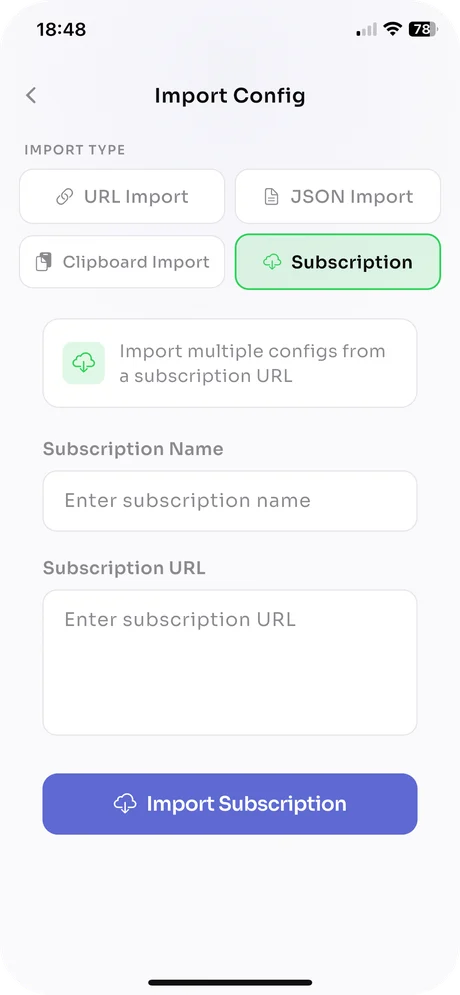
Import from a link, JSON or subscription
Paste a vmess://, vless://, ss:// or trojan:// link, drop a V2Ray JSON file, read the clipboard, or add a subscription URL and pull every server it lists at once.
v2rc imports your VMess, VLESS, Shadowsocks and Trojan configs, ping-tests all of them, and connects to the fastest one in a tap. Built for people who run their own servers.
Free, ads removableiOS 15 and latermacOS 12 and laterVersion 1.2.1
Mix configs from different providers and protocols. v2rc validates each entry at the transport level before it reaches your list.
vmess://The original V2Ray protocol with UUID authentication and encrypted payloads. Imported from a link or a JSON config.
vless://The lighter, stateless successor to VMess, usually paired with TLS, REALITY or WebSocket transports.
ss://The widely used SOCKS5 proxy with modern AEAD ciphers. Works with any Shadowsocks server you already run.
trojan://Traffic that looks like ordinary HTTPS to the outside, backed by a TLS certificate on your server.
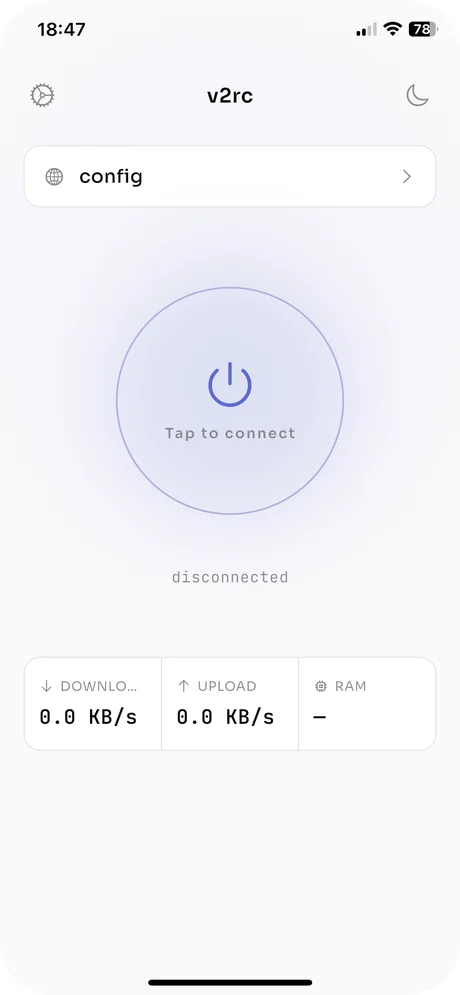
Three screens stand between a fresh install and a working tunnel.
Paste a vmess://, vless://, ss:// or trojan:// link, drop a V2Ray JSON file, read the clipboard, or add a subscription URL and pull every server it lists at once.
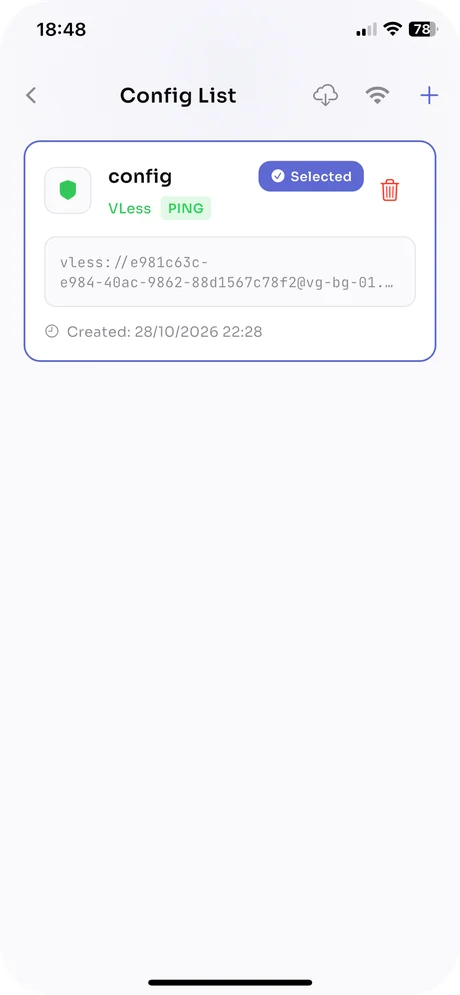
One tap pings the whole list and ranks it by latency. Dead nodes show up immediately; clear the results and run again whenever your network changes.
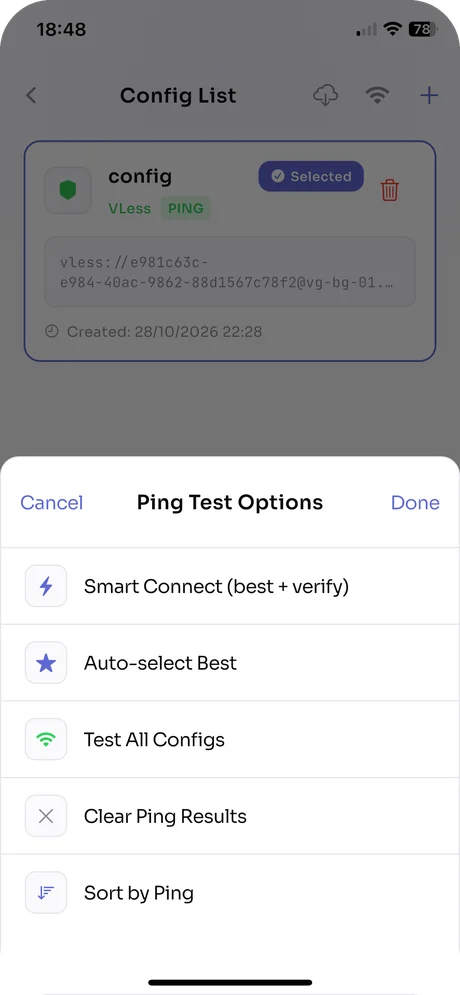
Smart Connect chooses the fastest server and confirms the tunnel actually passes traffic before it switches. Turn on Auto Connect and it does this on every launch.
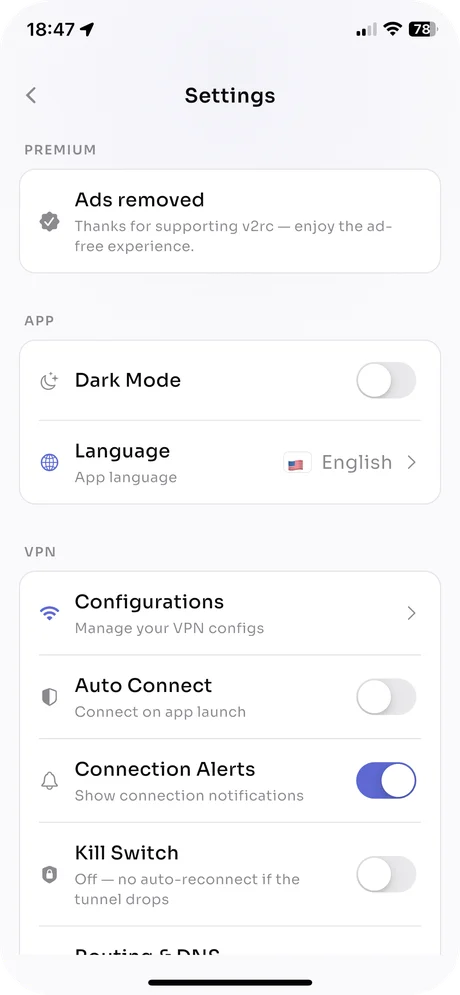
The settings a network admin expects, without a dashboard to learn.
What the App Store privacy label says: the free version is supported by ads, and the label lists Usage Data as data that may be used to track you by advertising partners. Buying the ad removal turns the ads off. Read the privacy policy for the full text.
v2rc is a universal app. Download it once on iPhone and once on Mac; backups move your configs between them.
| Device | Minimum version | Where to get it |
|---|---|---|
| iPhone | iOS 15.0 or later | App Store |
| iPad | iPadOS 15.0 or later | App Store |
| Mac | macOS 12.0 or later | Mac App Store |
| Apple Vision | visionOS 1.0 or later | App Store |
No subscription, no tiers, no features behind a paywall.
Free
Supported by ads
One-time
In-app purchase; the exact price is shown in your local App Store
No. v2rc is a configuration manager and client. You add your own server configs, or a subscription link from the provider you already use. There are no built-in servers and no v2rc account.
VMess, VLESS, Shadowsocks and Trojan. You can paste vmess://, vless://, ss:// and trojan:// links, import a V2Ray JSON config, read from the clipboard, or pull a whole subscription URL at once.
Yes. The same app runs on iPhone and iPad (iOS/iPadOS 15.0 or later), on Mac (macOS 12.0 or later, downloaded from the Mac App Store) and on Apple Vision (visionOS 1.0 or later).
It pings every config in your list, picks the one with the lowest latency, then verifies that the connection actually works before switching to it. You can also test all configs, sort by ping, or auto-select the best without the verification step.
Yes, the app is free to download and use with ads. A one-time in-app purchase removes the ads; the exact price is shown in your local App Store. There is no subscription.
When the tunnel drops, the kill switch reconnects automatically instead of letting traffic continue outside the tunnel. It is off by default and can be switched on in Settings.
Yes. Backup & Restore in Settings exports your configs and subscriptions to a file that you can import on another iPhone, iPad or Mac.
Your configs stay on your device and there is no account. The App Store privacy label for the free, ad-supported version lists Usage Data as data that may be used to track you by advertising partners. See the developer's privacy policy for details.
Free on the App Store for iPhone, iPad and Mac.